Copying a completion mark into the work-task cell wastes a renewal decision. Keep four records apart before you continue a digital skills course: who signed up, who the provider marked finished, how able people say they are, and whether they can do one named work task with the help you wrote down.
A digital skills training program is evaluated here by one named work task, with signup, completion, and a self-rating kept on separate lines. The sheet below holds the baseline, the same type of task after the course, a later retention or transfer check, the support at each check, and the file. This Progress guide is for someone deciding whether to run the course again for staff whose jobs are not technical roles. Course rankings, wage claims, and certificate tables stay out. If the laptop, the connection, the permission, or the helper changed between checks, the cause cell stays blank.
| Record | The question it answers | What remains open |
|---|---|---|
| Signup | Who was signed up? | Whether they attended, finished, or can do the work |
| Completion | Did the provider mark the course finished? | Whether the person can do a work task |
| Self-rating | How able or confident does the person say they are? | Whether an observer saw that task done |
| Observed task | What did the person do on a named task, with what help, before and after? | Whether the course caused the difference |
Four records that answer four questions
Signup, completion, a self-rating, and an observed work task answer four different questions, so they stay on four lines.
A brief from the CREATE Adult Skills Network, written by Jen Vanek at World Education, describes three ways adult-education programs assess digital skills. The first is self-assessment. The second is a skill-based assessment such as the Northstar Digital Literacy modules. The third is a performance-based assessment built from a framework that fits the skills you want to see. The brief says self-assessments are not valid measures of skill, citing van Laar et al. (2020). They give people a chance to reflect on the technology they use and the skills that make that use possible, and the brief says they are generally designed to support agency and self-directed learning. Put that reflection on the self-rating line.
The brief quotes a 1992 report to the US Congress that defines a performance-based assessment as a test in which the person creates an answer or a product that demonstrates knowledge and skills. It says this kind of check can cover skills that multiple-choice items miss, and that for digital literacy the aim is to follow progress on authentic tasks. Those tasks can ask the person to construct a response rather than pick one, demonstrate a skill while someone watches, work through a problem, or add work to a portfolio. People running a program can use them to set a baseline or to note growth over time. They take more labor than the other checks the brief describes. That labor is the observed-task line.
A Northstar-style module is the brief’s skill-based check. It belongs on the observed-task line only when the module is the work task you named. A score from a different module stays off that row.
Completion is the mark a provider records. The brief does not treat that mark as a performance assessment.
The Behavioural Insights Team post of 10 September 2025 describes work with FutureDotNow, with support from the Department of Science, Innovation and Technology. The post says the team analysed over 100 academic papers and held in-depth interviews with leading employers. It does not print the interview count. The barriers it names are lack of time, lack of permission, low confidence, fear of breaking something by pressing the wrong button, and treating digital skills as separate from the job. It recommends peer mentors, and training built around the goal of the job rather than around the name of a tool. It also says uptake of optional training can sometimes fall below 1 percent. That figure is an uptake claim. It is not a completion rate, and it is not a before-and-after score for a work task. The same post says 52 percent of the UK workforce cannot perform all the digital tasks considered essential for work. That sentence describes the workforce in the post. It is not a result for a named course, and this sheet does not copy it into a cell.
BSD Education’s school-profile post starts from a list of competencies, a self-assessment survey, a review of curriculum and teaching, and classroom observation. That produces a picture of a school. It does not give you a before-and-after file for an adult employee’s work task. The diagram labels the first line enrollment. That line is the signup record.
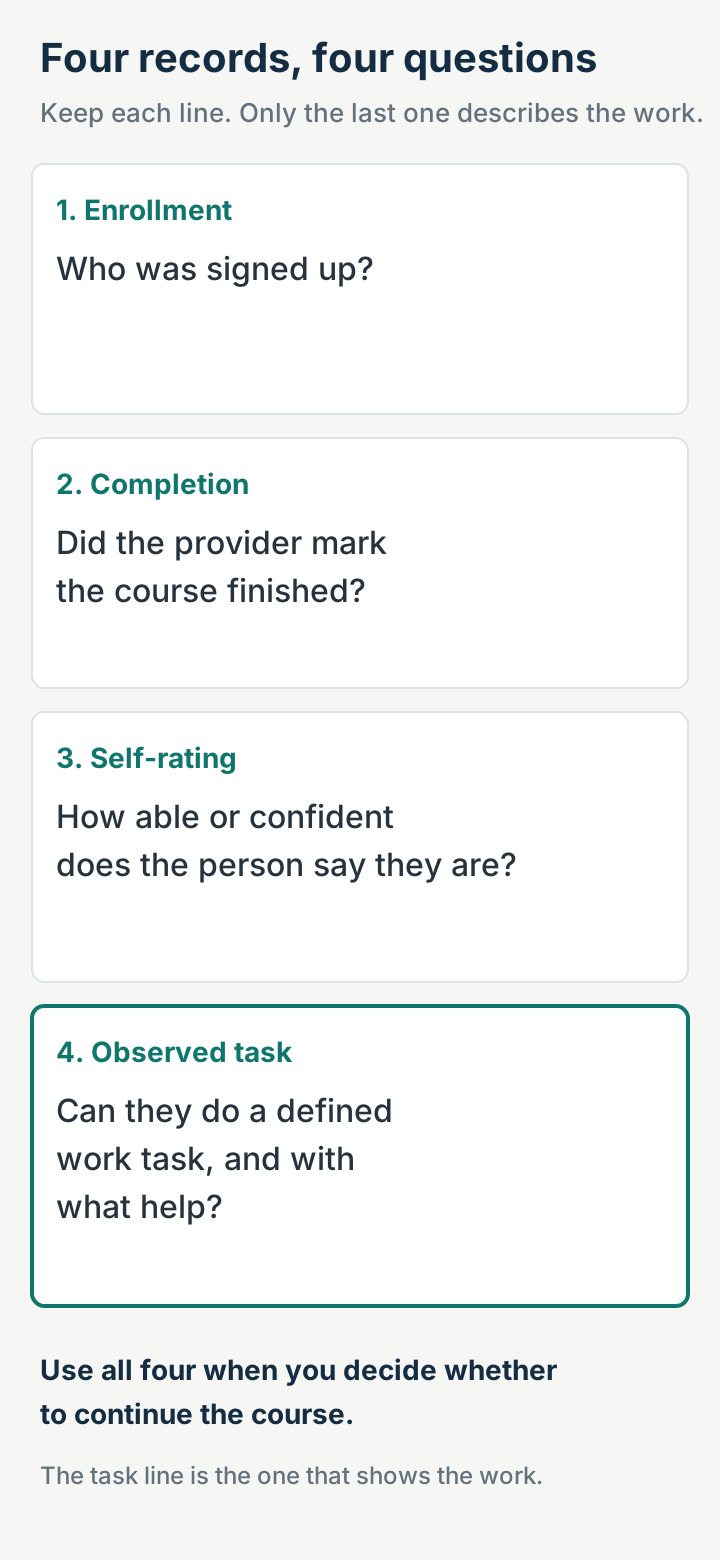
Common mistake: Copying the provider’s finished mark into the task line. The finished mark answers the completion question. The task line needs the work file or an observer’s note.
Takeaway: Signup, completion, self-rating, and the observed task stay on separate lines, including when they all come from the same course.
Name the task before you compare anything
Name the work task, and how much guidance it needed, before you compare a baseline with a later check.
The CREATE brief’s first step for choosing a framework is to determine the end goal: the task, the instruction, or the resource that requires the digital skill. DigComp 3.0, on the Joint Research Centre page saved on 18 October 2026, gives a vocabulary for that task. It is the fifth version of the European Digital Competence Framework. It defines a task as a specific activity that uses digital technologies and contributes to a goal, in everyday life, work, or learning. Tasks vary in size, duration, and complexity. People carry them out alone or with others.
Proficiency in DigComp 3.0 combines the cognitive demand of the task, its complexity, and how much autonomy the person has. The framework uses four levels:
| Level | DigComp 3.0, paraphrased from the JRC page |
|---|---|
| Basic | The person remembers and carries out simple tasks, with guidance as needed |
| Intermediate | The person identifies well-defined tasks and well-defined problems and carries them out alone |
| Advanced | The person judges solutions for a range of complex tasks, adapts them to different settings, and guides others when needed |
| Highly advanced | The person handles highly complex or specialised problems, creates a new solution or adapts an existing one, and leads others when needed |
Use a level to describe the task you picked: how complex it is, and whether the person needed someone beside them. The level describes that task. It is not a score for the course, and this page does not calculate one.
Learning outcomes in DigComp 3.0 are statements of what a person knows, understands, and is able to do on completion of a learning process, written as knowledge, skills, and attitudes. The Joint Research Centre describes them as a tool for writing or revising course content, for recognizing formal, non-formal, and informal learning, and for signaling skills in an occupational profile. A sentence in a course outline is the designer’s statement. Your sheet records a task you can point to.
The framework has five competence areas and 21 competences. The area names on the saved page are information search, evaluation and management; communication and collaboration; content creation; safety, wellbeing and responsible use; and problem identification and solving. AI-related knowledge, skills, and attitudes appear in all 21 competences. An area name can help you say what kind of task you mean. The area name does not measure the course.
The Joint Research Centre lists prerequisites for reaching the basic level: a basic level of literacy; access to a sufficiently fast and stable internet connection; one or more digital devices with the required connectivity and applications; and technical assistance, guidance, and support. If one of those was absent at the baseline and present at the later check, or the reverse, the task row has more than one explanation. Write “cannot judge” on that row and leave the cause cell blank.
Takeaway: Name one work task, say how much guidance it needed, and use that same description at the baseline and at the later check.
The sheet to copy
Copy these headings into a spreadsheet and add one row per task. Leave every rate cell blank.
The sheet is a recording form for the files you already have. The psychometric statements the Joint Research Centre publishes for DigCompSAT belong to that item bank. They do not fill these cells. Write “unknown” when you do not have the file.
| Heading | What to enter |
|---|---|
| Task | The work activity, in the tools the person actually uses |
| Baseline performance | What they did on that task before the course, including where they stopped and what help they had |
| Same type of task after the course | The closest repeat you can arrange after the course, described the same way |
| Retention or transfer check | Either the same task again after a gap you choose (retention), or a related task in the real workflow (transfer). Write which one, and the date you looked |
| Support required | The device, the connection, permission to do the task, and anyone who helped, at each check |
| Evidence file | Where the file, the screenshot, or the observer’s note is kept |
| Cannot judge | What else changed. If you cannot separate that change from the course, leave the cause cell blank |
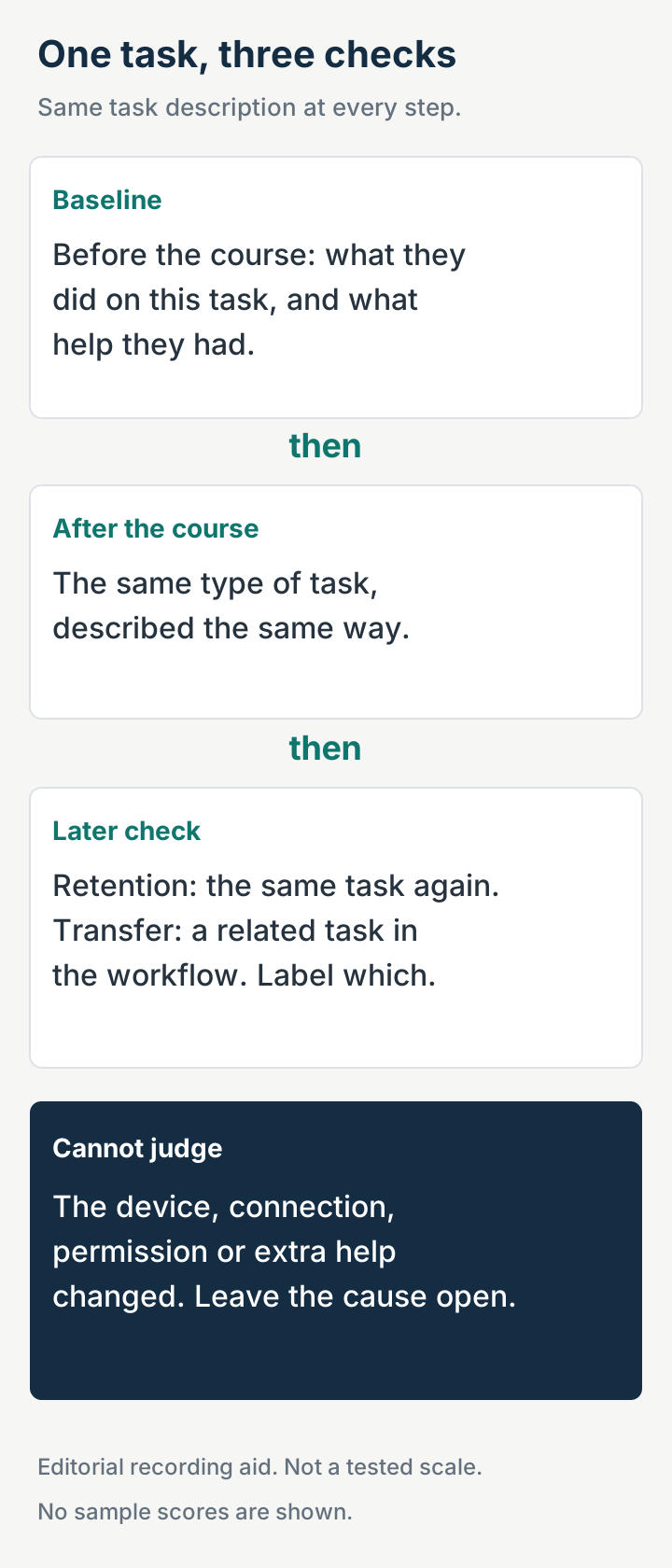
- Pick a task the course was meant to support, small enough that someone can watch it or keep the file.
- Before the course, or from the last time the person did that task, write the baseline and the support they had.
- After the course, ask for the same type of task. A new topic is a new row.
- Later, look again. Retention means the same task. Transfer means a related task in the workflow. DigComp’s definition of a task allows either setting. They answer different questions, so label the one you used.
- If the device, the connection, permission, or the amount of help changed, fill “Cannot judge” and leave the cause cell blank.
A learning outcome in the course outline can tell you which task was intended. It does not fill step 3.
The row below shows how to fill the headings. It is an illustration of the form, with the rate cells left empty.
| Heading | Illustration |
|---|---|
| Task | Save a supplier invoice as a PDF in the shared folder the job already uses |
| Baseline performance | Stopped at the save dialog. Nobody else was at the keyboard |
| Same type of task after the course | Saved the PDF in that folder |
| Retention or transfer check | Retention: the same save, on a later date you write down |
| Support required | Same office laptop and the same folder permission at both checks. No colleague at the keyboard either time |
| Evidence file | Path to the PDF, or the observer’s note. Leave blank if you do not have it |
| Cannot judge | Blank while those support notes match. The pair describes the task. It does not, by itself, isolate the course from every other change at work |
If a new laptop arrived between the two checks, write cannot judge and leave the cause cell blank.
Common mistake: Putting a quiz score in the after-course cell and a confidence number in the baseline cell. The quiz score can sit with completion. The confidence number is the self-rating. The task row needs the work product or the observer’s note.
Takeaway: One row per task, the same description at each check, and a blank cause cell when the conditions changed or when all you have is the pair of files.
DigComp 3.0 and DigCompSAT have different jobs
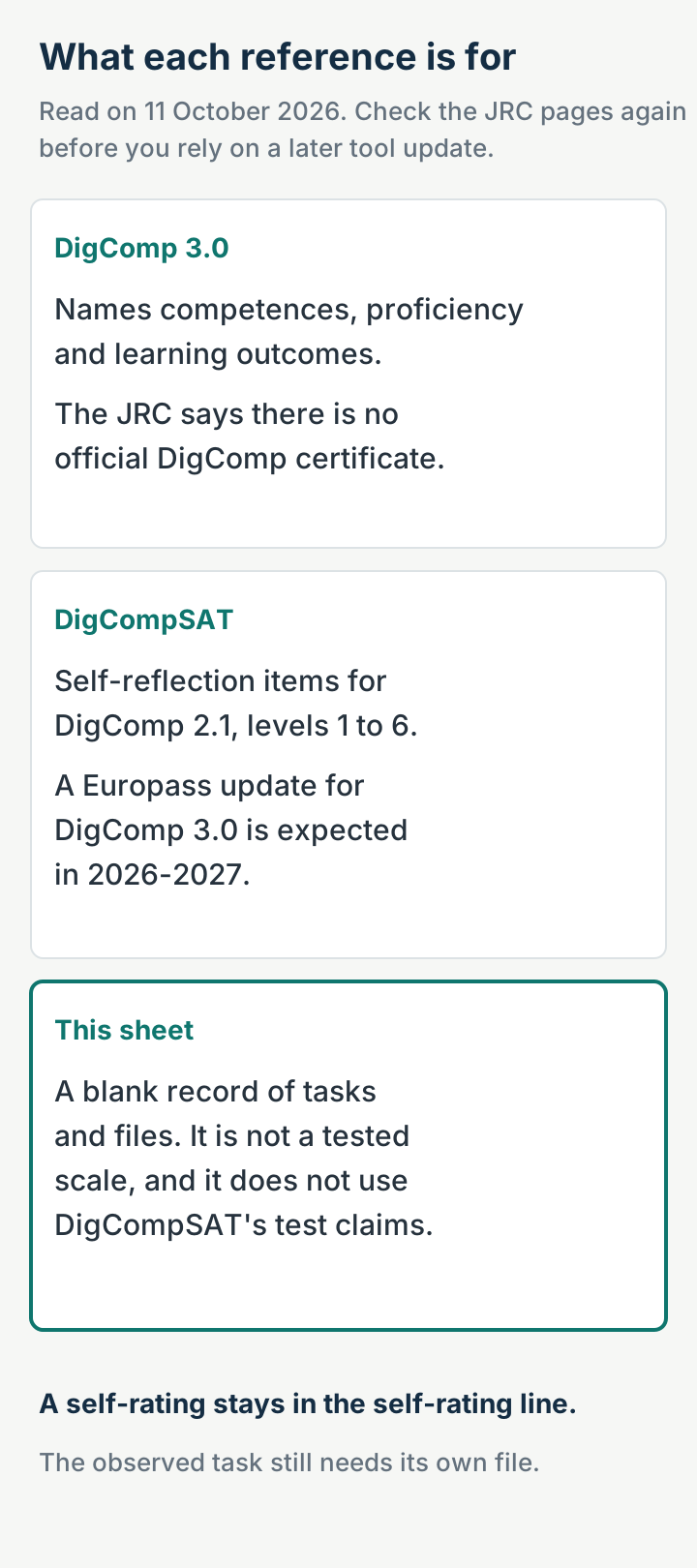
DigComp 3.0 names the task and the level of demand. DigCompSAT collects a self-reflection for DigComp 2.1. The sheet stores the file.
| Reference | Job | Where the result goes |
|---|---|---|
| DigComp 3.0 | Name the competence area, the proficiency level, and the learning outcome you are talking about | The task name on the sheet. The saved page prints no course score |
| DigCompSAT | Self-reflection items for DigComp 2.1, levels 1 to 6 | The self-rating line |
| This sheet | Store the task, the support notes, and the file | The observed-task line. The cause cell stays blank when you cannot separate the course from another change |
DigComp 3.0 keeps the five-area structure of the previous version. The Joint Research Centre lists updated wording, revised proficiency levels, new learning outcomes, and AI competence built across the framework. The saved DigComp 3.0 page prints no pass mark and no course score. A certificate from some other scheme would still leave the observed-task cell empty. This page does not list those schemes.
DigCompSAT, on the Joint Research Centre’s assessment-tools page, is an item bank aimed at DigComp 2.1 competences for levels 1 to 6, which that page groups as foundation, intermediate, and advanced. It asks people to reflect on knowledge, skills, and attitude across the five areas. The page says the tool can measure existing competence on the basis of that self-reflection, identify gaps, and raise awareness, and that it has sound psychometric properties, including validity and internal consistency of the items. It was piloted in Ireland, Latvia, and Spain with people aged 16 to 65. The page says the items allowed a test time of less than 30 minutes across countries, ages, educational backgrounds, and genders. Those statements describe DigCompSAT. They do not describe a spreadsheet copied from this page, and they do not describe a result of your course.
The same tools page says that, from the Europass platform and the Digital Skills and Jobs Platform, an EU citizen can open a self-assessment based on DigComp and DigCompSAT, in all EU languages. It also describes MyDigiSkills as a self-reflection tool in several languages, built by All Digital from DigCompSAT. A score from either tool still answers the self-rating question. Keep it on that line. The saved page does not print a date for a later revision of those tools.
The tools page also points to an exploratory mapping of the 21 DigComp competences onto the skills pillar of ESCO, and to Eurostat’s Digital Skills Indicator for country-level monitoring. Neither of those is a before-and-after file for one course. The indicator’s figures are not printed on the page saved here, so they are not printed on this sheet.
Takeaway: Use DigComp 3.0 to name the task and the level of demand. Use DigCompSAT as a self-reflection instrument tied to DigComp 2.1. Use this sheet to store the files.
When the comparison does not support a cause
When the device, the connection, permission, or the amount of help changed, the comparison does not support a cause. Write the support down at the baseline and at the later check. If those notes differ, write “cannot judge” and leave the cause cell blank.
DigComp 3.0 treats literacy, a stable connection, a suitable device and applications, and technical help as prerequisites for the basic level. The Behavioural Insights Team post adds time and permission as barriers to taking up training. A manager who newly allows the task, a laptop issued the same week, or a colleague who now sits with the person can move the task record while the course stays the same. If a new laptop arrived between the two checks, write cannot judge and leave the cause cell blank.
When the task name and the support notes match, you have two descriptions of the same task. The pages saved for this article do not turn that pair into a causal effect. You can still continue the course for a reason this page does not weigh, such as a duty your organization already has or a tool it has already bought. That reason is separate from evidence that the course changed the work.
Common mistake: Reading a fuller class list, or a rise in confidence, as evidence the work changed. The class list sits with signup and completion. Confidence is the self-rating.
Takeaway: Leave the cause cell blank when the setup changed. Leave it blank when all you have is a matched pair of files. The saved pages do not supply a causal estimate.
What this page leaves out
- Course rankings and lists of best programs. The sources used here do not compare providers.
- Employment, promotion, and pay caused by a course. The Behavioural Insights Team post prints a workforce figure and an optional-training uptake figure. It does not print a wage change or a job count for a named course. Those cells stay blank.
- A self-rating standing in for hands-on work. The CREATE brief says self-assessments are not valid measures of skill.
- Certificate league tables. The saved DigComp 3.0 page does not print a pass mark or a course score. This page does not review certificates.
- Medical and clinical training. The sources cover general digital competence and adult or workplace digital skills.
- A measured result for any organization. The sheet is blank. This page reports no participant counts, completion rates, or before-and-after scores for a reader’s course.
- Eurostat’s Digital Skills Indicator values, and the full FutureDotNow report mentioned by the Behavioural Insights Team. Those documents were not the pages saved here.
How we researched this
The claims above come from five pages saved on 18 October 2026: the Joint Research Centre pages for DigComp 3.0 and for DigComp-based assessment tools, the CREATE Adult Skills Network brief on digital skills frameworks and assessments, the Behavioural Insights Team’s 10 September 2025 post, and BSD Education’s school-profile post. The Joint Research Centre questions-and-answers page and a First Intuition note on identifying digital skills needs did not return a readable copy, so this page does not use them. Corrections are described in our editorial policy.
A count of activity and a later record of something in use are also separate files in How universities help research reach real-world applications. Signup and a finished work task need that same split here.
Takeaway: The sources define frameworks, assessment types, and limits. They do not report a result for your course.